
 FluentProTwo modules free
Better code won’t get you promoted. Better words will.
FluentPro is English practice for engineers — the stand-up, the code review, the technical interview, the incident call — built for people whose work is already senior and whose English is the last thing holding the room back.
Real phrases beside the blunt version you would have said. Drills that check you remember them. Spaced repetition that brings each one back right before you forget it.
The gap
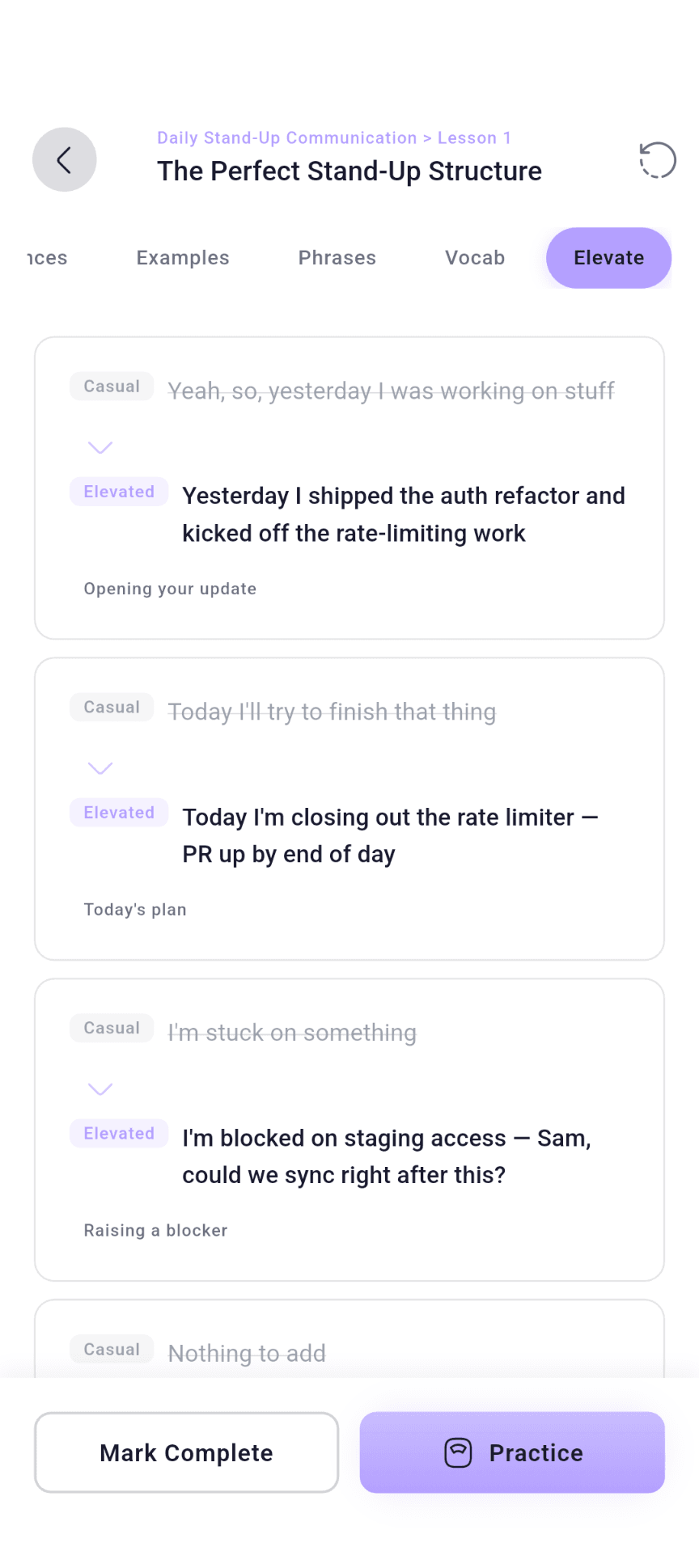
The same point, said two ways.
Workplace English almost never goes wrong on grammar. It goes wrong on register — the line that was meant as collaboration and landed as an attack. Nearly every phrase in FluentPro comes with the casual version people reach for first, so you practise the difference instead of guessing at it.
CasualYeah, so, yesterday I was working on stuff
ElevatedYesterday I shipped the auth refactor and kicked off the rate-limiting work
Opening your update
CasualI’m stuck on something
ElevatedI’m blocked on staging access — Sam, could we sync right after this?
Raising a blocker
CasualThis story is too big. Split it.
ElevatedCould we break this story into smaller pieces? It feels like it’s trying to do too much.
Pushing back in planning
The library
The situations that decide an engineering career.
Every module is a room you will be in again: the stand-up, the review thread, the planning call, the incident bridge, the interview loop, the one-to-one where the promotion gets discussed.
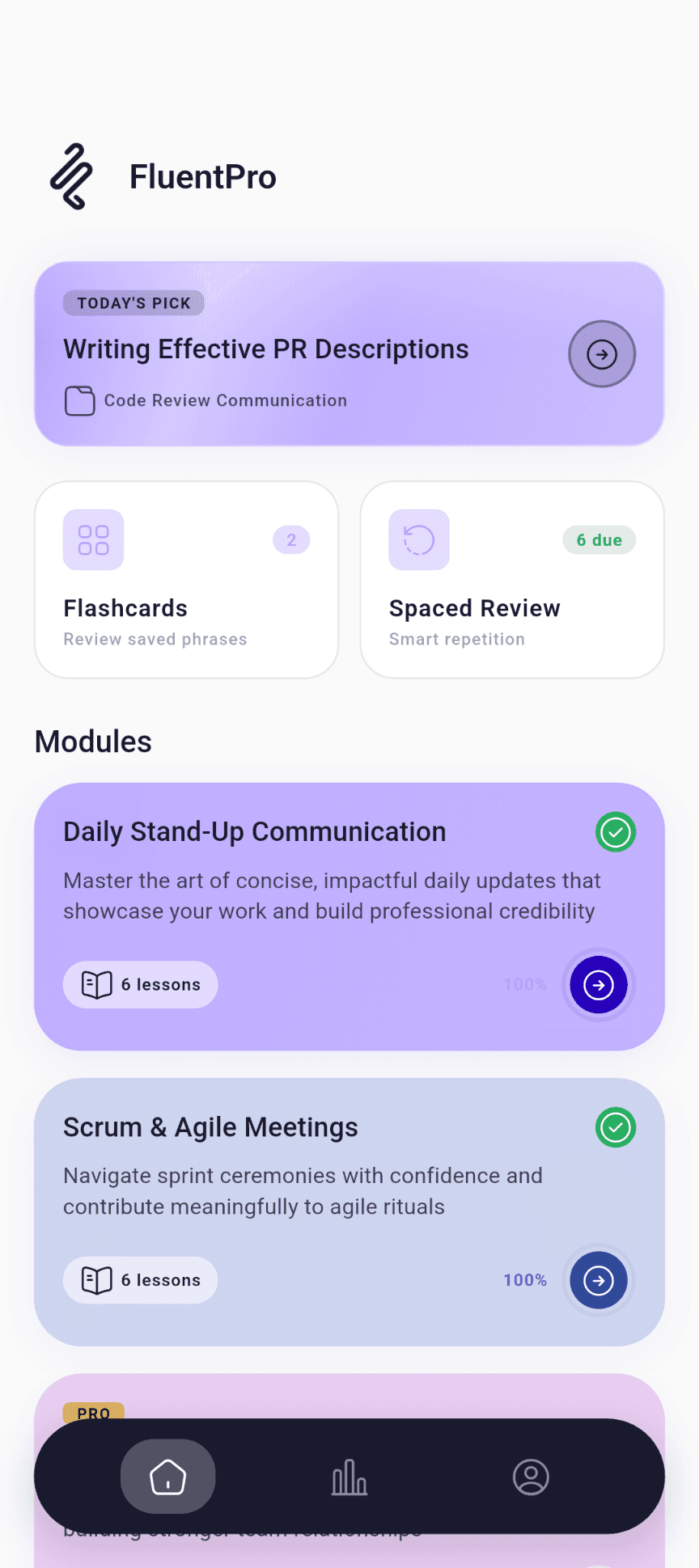
Modules
One module per situation you keep walking into.
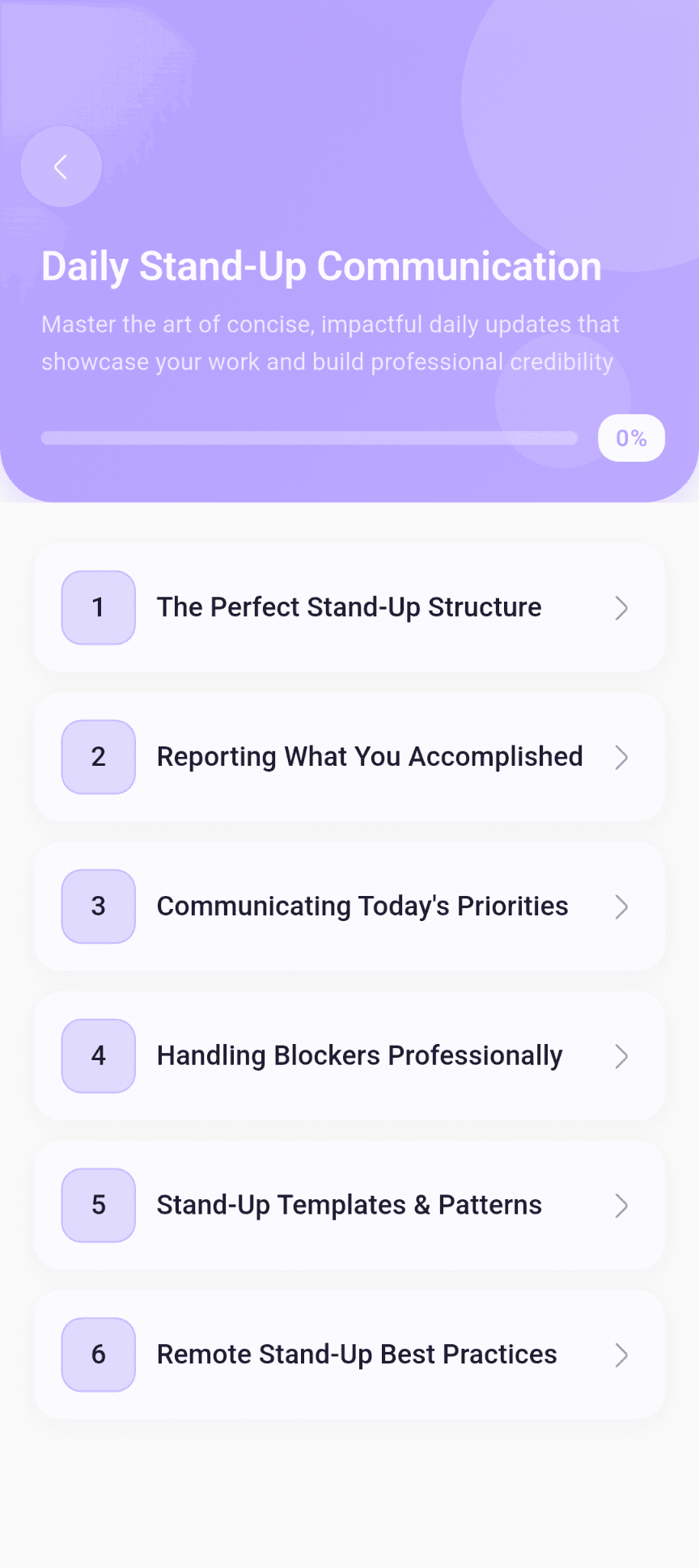
Open Daily Stand-Up Communication and you get a short run of lessons — structure, reporting what you did, today’s priorities, blockers, remote stand-ups — with a progress bar that fills as you finish them.
Content
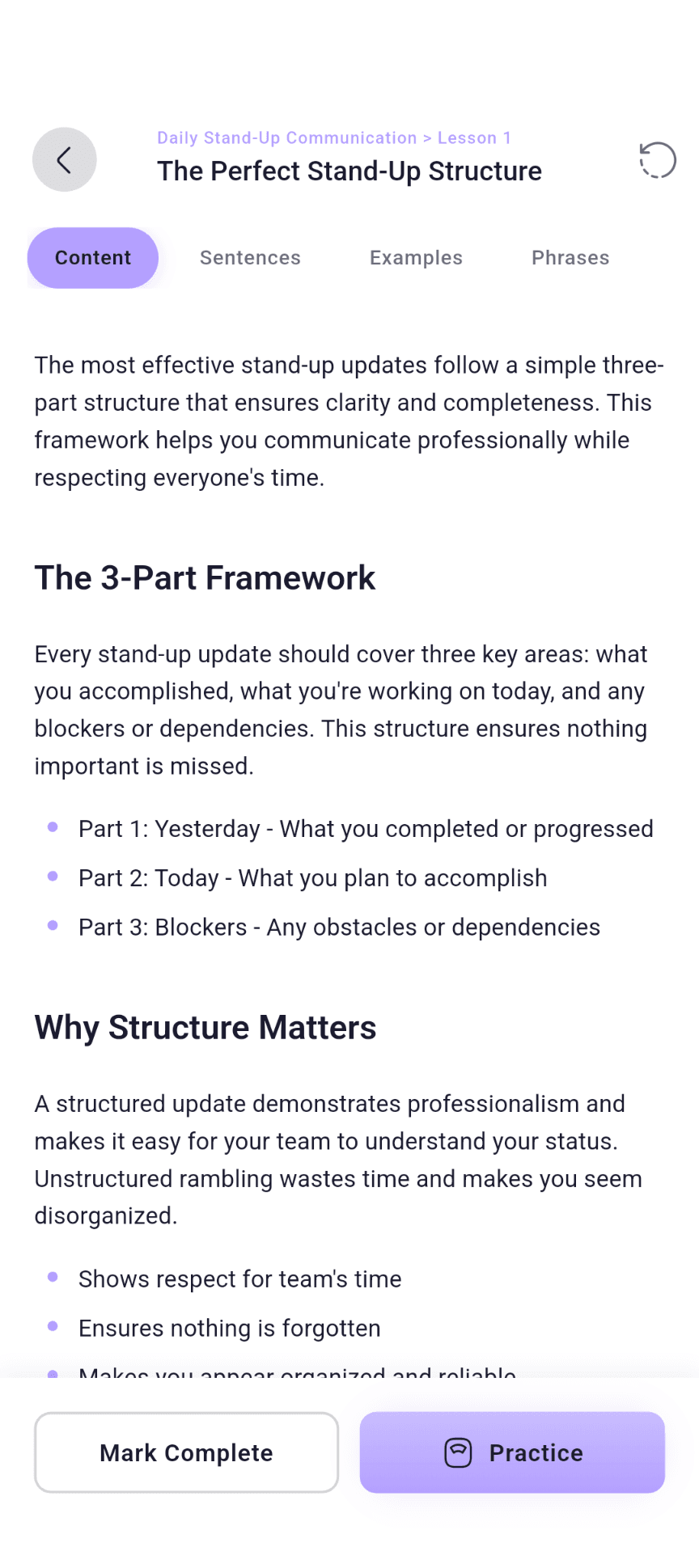
The thinking first, then the words.
Each lesson opens with the framework — why a three-part stand-up works, what a blocker actually needs to say — so the phrases that follow have somewhere to sit.
Sentences
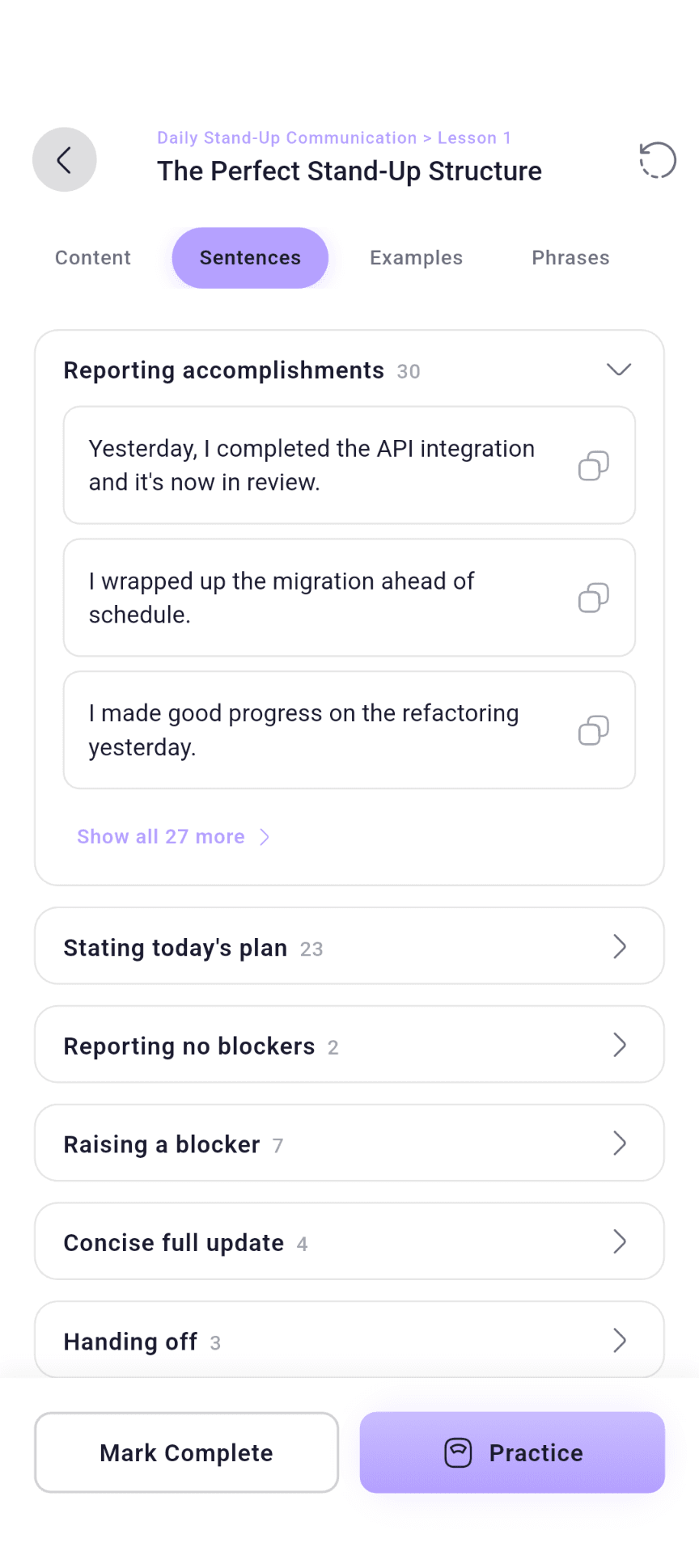
Real lines, sorted by the job they do.
Dozens of ways to report what you finished. More for stating today’s plan. A handful for raising a blocker without sounding stuck. Copy any of them, or tap to hear it said aloud.
Six tabs in every lesson. One of them talks.
Each lesson is the same shape, so you always know where the thing you need lives. Sentences, phrases, and vocabulary all carry a play button — pronunciation on demand, without turning on your microphone.
- Content
- The framework behind the moment — what a good stand-up covers, and why.
- Sentences
- Dozens of lines grouped by job: reporting, planning, raising a blocker, handing off.
- Examples
- Whole scenarios, so you hear the phrase inside a real exchange.
- Phrases
- The reusable lines with a note on when they land and when they backfire.
- Vocab
- The words behind the phrases, with pronunciation you can tap.
- Elevate
- Every casual line beside the version that sounds senior.
A day with it
Ten minutes, three steps, no decisions.
You never have to work out what to study. The app already knows which phrases you are weakest on, and it leads with those.
Open to Today’s Pick
One lesson, chosen on your phone from your own accuracy, review history and what is overdue — the lesson holding the phrases you are measurably weakest on. When everything is even, it rotates across modules for variety.
Drill it six ways
Pick a format or take them mixed: multiple choice, fill in the blank, true or false, word swap, context match, before & after. Each set is generated fresh when you start it, not replayed from a fixed bank.
Review what is due
Bookmark a phrase and it joins your flashcard deck. SM-2 spaced repetition schedules each card, growing the gap when you know it and shrinking it when you do not.
The Perfect Stand-Up Structure
4 of 10
“I’m ______ on staging access — could we sync right after this?”
Saved Phrases
I’ll circle back with a concrete ETA after stand-up.
Stand-up
Could we break this story into smaller pieces?
Planning
I’m blocked on staging access — could we sync?
Blockers
Happy to pair on this if it helps unblock you.
Code review
Your phrasebook
Build the phrasebook for the meetings you keep replaying.
Every line you wish you had said last time is one tap from being ready next time.
Bookmark anything
A phrase, a sentence, a word from Vocab. It lands in Saved Phrases, tagged with its category, ready to copy into a message.
Search what you saved
Type a word and the list narrows to the saved phrases that contain it, filtered by category, so the line you need is there before the call starts.
Saved phrases become flashcards
Swipe through your deck, mark the ones you know, and let spaced review handle the rest. The home screen tells you how many are due today.
Momentum
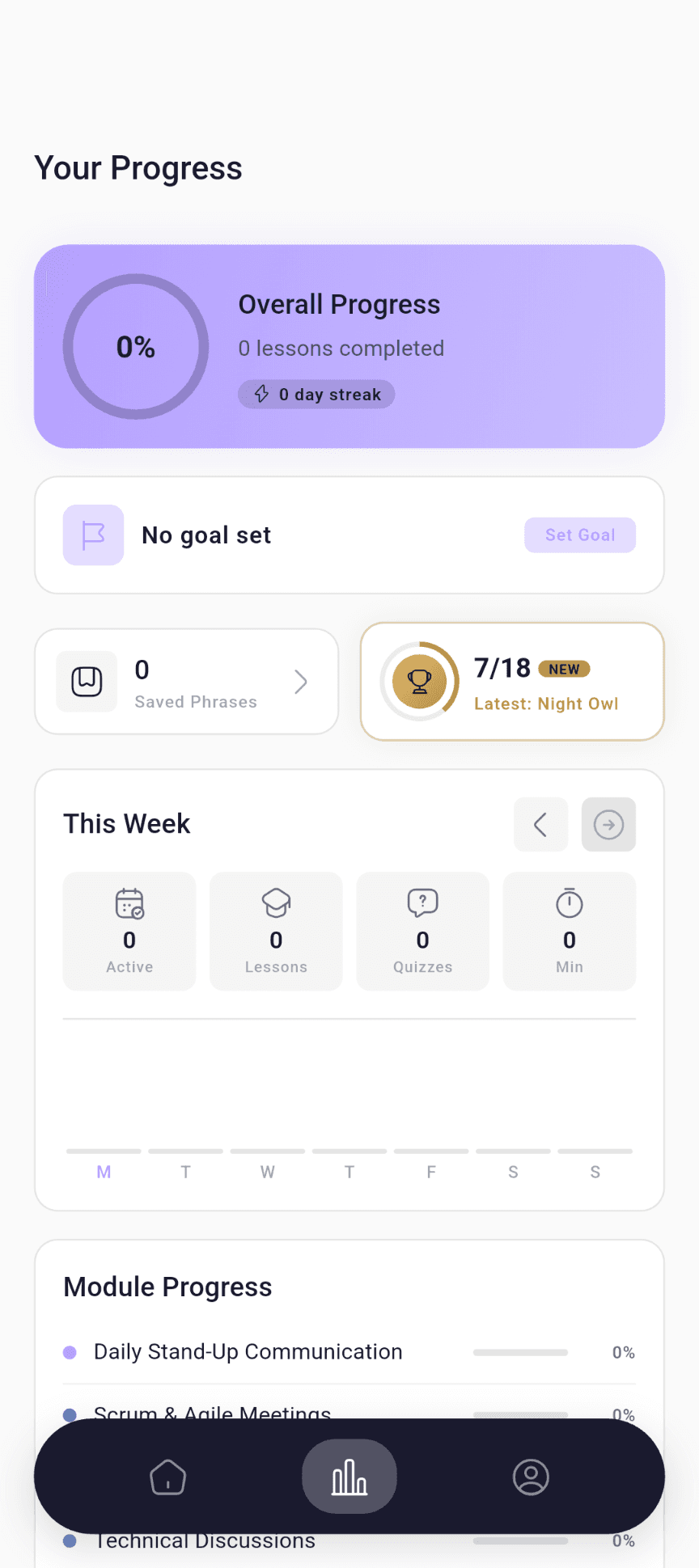
A weekly view of whether you turned up.
Active days, lessons finished, quizzes passed, minutes spent — this week on a bar chart, earlier weeks a swipe back. No vanity score, just what you did.
A goal you set, not one set for you
Lessons per day, minutes per week, or a module by a date. It sits on your progress screen until you hit it.
A streak with one freeze a week
Miss a day and the freeze covers it. Miss two and the streak resets. That is the whole rule, and a new freeze arrives every week.
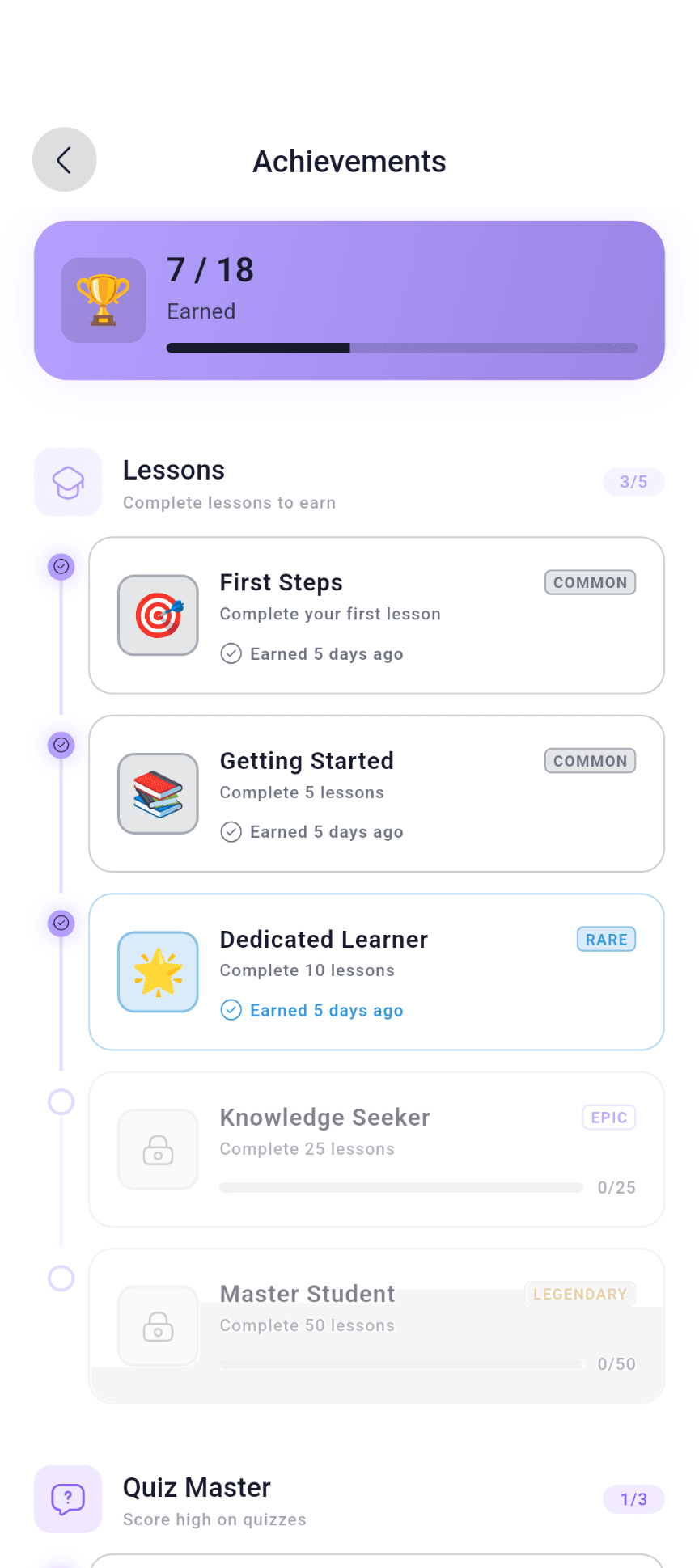
Achievements for the milestones you would not notice
First lesson, tenth quiz, a thirty-day streak, every module finished — each one is graded from common to legendary, and the locked ones show how far you are.
Reminders you control
A daily practice reminder, streak alerts, and a weekly progress summary — each one its own switch in Profile, so the app only nags as much as you asked it to.
The details
Built for a commute, a bad connection, and a new phone.
Works on the train
Lessons you have opened stay on your phone, and your progress queues and syncs when you reconnect. Quizzes are generated fresh each time, so they need a connection.
Light, dark, or automatic
Pick a theme in Profile or let the app follow your system setting.
Sign in three ways
Email and password, Google, or X. Your progress follows your account to a new phone.
Support from inside the app
Open a ticket from Profile and the conversation stays there, threaded, until it is solved.
Free and Pro
Two modules free. The rest of the library in Pro.
Free is not a trial and not a sample. It is the two foundational modules in full, so you hear the voice of the app before you decide.
Free
Daily Stand-Up Communication, every lesson
Scrum & Agile Meetings, every lesson
All six lesson tabs, pronunciation audio included
Drills, bookmarks, flashcards and spaced review for those modules
Progress, streaks, goals and achievements
Pro
Every other module: code review, interviews, incident response, written communication, client and stakeholder calls, security, cross-cultural teams, leadership, and the rest
Monthly or yearly, chosen in the app
Billed by Google Play, cancel from your Play subscriptions
Restore purchases on a new phone with one tap
Who it is for
Built for four people.
Engineers on distributed teams
who want their voice in the meeting to match their work in the codebase.
Candidates preparing for technical interviews in English
system design, behavioural rounds, post-mortem walkthroughs.
Tech leads and managers
who now write more than they code and want the writing to land.
Non-native speakers
reaching for fluency in technical rooms, not generic business ones.
Your data
It knows your progress. Nothing else.
- No microphone, no location, no contacts, no photos.
- Your name, email and progress — used to run your account, never sold or shared for advertising.
- Everything travels over HTTPS.
- Payments are handled by Google Play. FluentPro never sees your card.
- Delete your account and data from Profile inside the app, or by email. Removed within 30 days.
- Crash reports are anonymised.
Questions
Before you install.
Which phones does it run on?
Android, from Google Play. An iOS version is not available yet.
What exactly is free?
Two complete modules — Daily Stand-Up Communication and Scrum & Agile Meetings — with every lesson, drill, and review inside them. Pro adds the rest of the library. Plans and prices are shown in the app.
Do I have to speak into it?
No. FluentPro does not use the microphone. You read, listen, and answer drills by tapping. Pronunciation audio plays on demand.
Is this a grammar course?
No. It assumes your grammar is fine and works on register — the difference between a line that reads as blunt and the same point phrased so a team hears it as collaboration.
Does it work offline?
Reading and reviewing lessons you have already opened works offline, and your progress syncs when you reconnect. Drills are generated on the server, so they need a connection.
Can I delete my account and data?
Yes, from Profile inside the app, or by email to support@pixelcrafts.app. Server-side data is removed within 30 days.